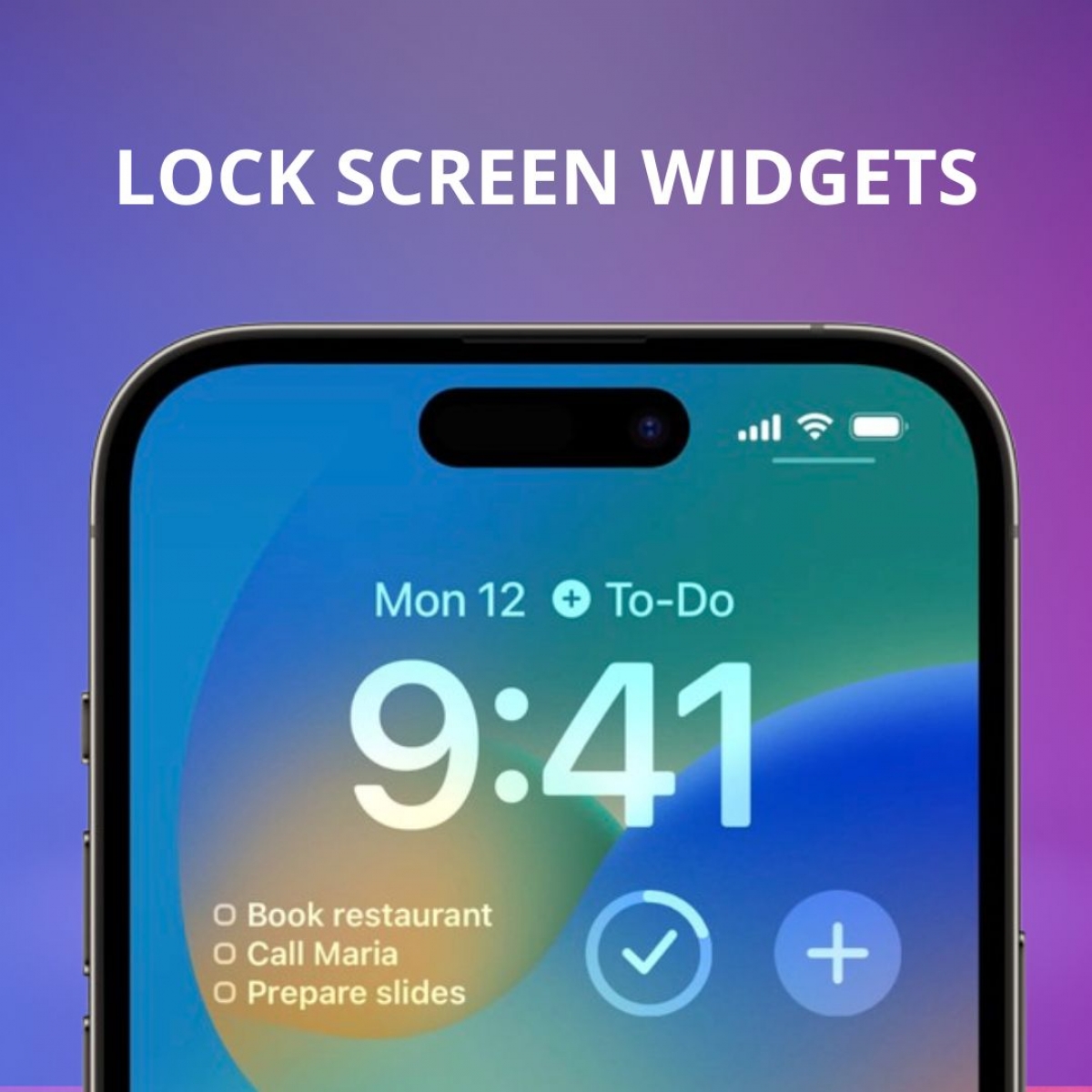
New Lock Screen widgets
Stay on top of your day right from your iPhone lock screen.
We’re excited to introduce new Lock Screen widgets for your Brite Daily Planner! With just a glance, you can now stay focused and productive — no need to open the app.
Whether you want a quick view of your tasks, a reminder of your habits, or a fast way to begin your Pomodoro timer, our new widgets help you take action instantly and effortlessly. Use them to track your day, check off tasks, or jump into focus mode in one tap — all straight from your iPhone lock screen.
Here's what you can do:
- Choose widgets that show your top tasks or habits for the day
- Start a Pomodoro session directly from your lock screen
- Keep important items front and center throughout your day for easy motivation and organization
This update is all about helping you manage your time and goals more smoothly — and without any interruptions to your flow.
Update your Brite app now to start using the new widgets and make your lock screen work for you!
Have questions or feedback? Feel free to reach out to us at hello@britetodo.com, in the in-app support chat, or join our community on social media — we’d love to hear from you!
Field notes on planning & productivity
Hand-picked essays from the Brite team.
How to prioritize tasks: practical methods for work and personal life
What is prioritizing tasks?When you have a lot of tasks to do, it can be difficult to know where to start. That's where prioritizing comes in. Prioritizing is the process of determining which tasks are the most important...
Read articleBest Mood Tracker Apps in 2023 (Paid and Free)
How often have you been out of sorts lately? Or do you feel you're on top of the world and want to catch the reason?...
Read articleProcrastinate No More Using the Eating a Frog Method
Is procrastination getting the best of you?The eat that frog method is an approach to productivity that suggests you should do the most difficult and important task of your day first. Named for the analogy that it’s be...
Read article